General information only. It is not accounting, tax, legal or financial advice.
The problem. Invoices sit in one place, payments in another, and the question "who still owes us, and for how long?" takes an afternoon to answer.
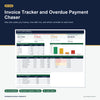
What this does. You keep one list of customers, one of invoices and one of payments received. The workbook works out what each invoice has had paid, what is still owing, how many days overdue it is and which ageing band it falls in, then adds it all up on a dashboard.
What you can do with it
- See the balance owing, the number and amount of overdue invoices, the oldest overdue invoice and what was paid this month.
- Group overdue balances into ageing bands. You type the three edges, in days overdue, so the bands match your own terms.
- See invoices by payment status (Unpaid, Part paid, Overdue, Paid, Overpaid) and by invoice type.
- See your top five customers by balance owing, and the disputed invoices.
- Spot mistakes: a payment whose invoice number is not on the Invoices sheet, or an invoice whose customer is missing, is flagged.
- Choose your industry (services, trade accounts or professional practice) to load suitable lists, then edit them to suit you.
- Keep your records in a clear structure: a Data Dictionary explains every column, and three export sheets repeat your customers, invoices and payments under plain field names.
How it works
- Enter your business name, choose your industry, and type your payment terms and ageing edges.
- Add your customers, then one row per invoice and one row for each payment received.
- Check the dashboard each week.
Who it is for. Sole traders and small businesses that raise their own invoices and want a register of what is owing, how overdue it is and who owes most, with ageing bands they set themselves.
Who it is not for. Anyone who wants software that creates or sends invoices, reminders or statements, or that works out tax. This is a receivables register in a spreadsheet: you type the records, no tax is calculated, nothing is sent or posted, and it does not connect to other software.
What you need. Microsoft Excel 2016 or later. It was tested in Excel for Windows. No macros, no add-ins and no subscription.
Good to know
- 300 customers, 800 invoices and 1,000 payments are ready, and you can add more by dragging the last row down.
- Payment terms and ageing edges are your own numbers. Nothing is a built-in rule, and no rate or tax is built in: type each amount as it appears on your invoice.
- Amounts are added as typed, in one currency.
- An invoice due on the report date is not overdue. An invoice with no due date and no payment terms can never be overdue.
- An example copy with a made-up business shows every sheet working before you start.
- Nothing is locked or password protected.
- Use this template to capture and improve your business data now. In future you can automate with AI.
- This workbook holds personal information about your customers, such as contact names, emails and phone numbers. Look after it: share it only with those who need it and keep it somewhere protected. It has no columns for bank, card, identity or tax identifier details, so please do not type them into Notes or Payment method either.