The problem. Stock counts sit in one place, sales in another, and supplier orders in your inbox. It is hard to say what is on the shelf, what has sold, what you have already ordered and what to buy next.
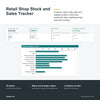
What this does. You keep one list of products, one of stock movements, one of daily sales and one of supplier orders. The workbook works out stock on hand for every product, its value, its margin and whether it is OK, at its reorder level, out of stock or below zero, then counts it all on a dashboard.
What you can do with it
- See stock value at cost, sales over your own window, gross profit and sales so far this month.
- See which products need ordering, with a Reorder list showing quantity, cost, supplier and stock already on order.
- See sales and stock by category, as tables and a bar chart.
- See open and late supplier order lines, out-of-stock products and slow sellers.
- Spot mistakes: a SKU typed wrongly, a duplicate SKU or stock below zero is flagged.
- Choose your industry (retail, food and beverage or hospitality) to load suitable lists, then edit them to suit you.
- Keep your records in a clear structure: a Data Dictionary explains every column, and five export sheets repeat your products, stock movements, sales, supplier orders and suppliers under plain field names.
How stock changes
- Every row you type on Daily sales reduces stock on hand by itself.
- A supplier order marked Received does not add stock by itself. When a delivery arrives, you record an In movement on the Stock movements sheet.
- Use Out for stock that leaves without a sale, and Adjust for a correction after a count.
- Reorder means stock is at or below the reorder level you typed. A product with no level typed is never marked Reorder.
How it works
- Enter your business name, choose your industry and type the days your sales window covers.
- Add your products with an opening quantity, then record movements, sales and supplier orders.
- Check the dashboard and the Reorder list each week.
Who it is for. Sole traders and small retailers who keep their own stock and want to see what is on hand, what has sold and what to reorder at a glance.
Who it is not for. Businesses that need stock-control or point-of-sale software that takes payments, counts stock for you or sends orders to suppliers. This is a spreadsheet: you type the records, and it does not send anything or connect to other software.
What you need. Microsoft Excel 2016 or later. It was tested in Excel for Windows. No macros, no add-ins and no subscription.
Good to know
- 500 products, 2,000 movements, 3,000 sales and 500 supplier order lines are ready, and you can add more by dragging the last row down.
- The sales window, the reorder levels and the lead times are your own numbers. Nothing is a built-in rule.
- Profit counts a product with no unit cost as zero cost, so type a cost for every product.
- An example copy with a made-up shop shows every sheet working before you start.
- Nothing is locked or password protected.
- Use this template to capture and improve your business data now. In future you can automate with AI.
- General information only. It is not accounting, tax, legal or financial advice.