General information only. It is not accounting, tax, legal or financial advice.
The problem. Content plans live in notes, chats and half-finished lists. Nobody can see at a glance what is planned for which week, what is ready, what has gone out and what has slipped past its date.
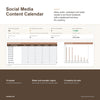
What this does. You keep one list of content ideas, one of posts, one of campaigns and one of results. Each post has a date, a title, a channel, a format, a campaign, an owner, a status and its caption text. The workbook counts posts by status for each week, by channel and by format, and adds up the reach, clicks and leads you type for each campaign. Nothing is posted, scheduled, sent or fetched by this workbook. A post's status is a note you type, and results are numbers you type after the post has gone out.
What you can do with it
- Keep content ideas in one place, with a theme and format, and mark each one New, Scheduled or Set aside.
- Plan one row per post, with its date, channel, format, campaign, owner, status and caption text.
- See posts by status (Draft, Ready, Posted, Skipped) for each of eight weeks, as a table and a bar chart.
- See posts past their date and not yet posted, shown in amber, and ready posts that have not gone out.
- See which channels and formats you use most, with a share of all posts.
- Type the reach, clicks and leads for each post, and see them added up by campaign, with a click rate.
- Choose your industry (hospitality, retail or professional services) to load suitable channel, format and content theme lists, then edit them to suit you.
- Keep your records in a clear structure: a Data Dictionary explains every column, and four export sheets repeat your records under plain field names.
How it works
- Enter your business name, choose your industry, and type the date your first week starts.
- Add your ideas, posts and campaigns, and type each result after the post has gone out.
- Check the dashboard each week.
How the weeks work. Weeks on the dashboard are 7-day blocks counted from the start date you type on Settings (First week starts on). The workbook does not work out weekdays: you choose which day a week starts.
Who it is for. Sole traders and small teams who plan their own content and want one clear view of what is planned, ready, posted and overdue.
Who it is not for. Businesses that need scheduling or publishing software. This is a spreadsheet: it does not post, schedule, send or fetch anything, and it does not connect to your accounts, your email or other software.
What you need. Microsoft Excel 2016 or later. It was tested in Excel for Windows. No macros, no add-ins and no subscription.
Good to know
- 300 ideas, 500 posts, 100 campaigns and 500 results are ready, and you can add more by dragging the last row down.
- Status is a note you type, and results are numbers you type. Nothing is fetched or imported.
- The week table shows eight weeks. A post dated outside them is still counted in the cards at the top.
- A result is linked to its post by the post title, so type the title the same way on both sheets.
- An example copy with a made-up bakery shows every sheet working before you start.
- Nothing is locked or password protected.
- Use this template to capture and improve your business data now. In future you can automate with AI.
- General information only. It is not accounting, tax, legal or financial advice.